Image annotation
Bounding boxes, polygons and keypoints for project-defined object classes. Agree label definitions, edge cases and required export format before work begins.
 IA DATA SOLUTIONS
IA Data Solutions (SMC-Private) Limited is a Pakistan-registered company developing practical annotation and data preparation services. Start with a scoped paid pilot to assess fit before a larger commitment.
Scope, staffing and turnaround are confirmed after reviewing your sample and instructions. Label Studio is used in our annotation practice.
Bounding boxes, polygons and keypoints for project-defined object classes. Agree label definitions, edge cases and required export format before work begins.
Labelling document regions and extracting agreed fields such as invoice numbers, dates and totals, with field rules and ambiguous values reviewed during the pilot.
Object tracking with attention to object identity, frame coverage and occlusion rules. Frame rate, interpolation and output expectations are agreed per project.
Speaker segmentation and labelling, plus Excel or Google Sheets support for organising and reviewing data. Language coverage and specialist requirements are confirmed separately.
Practice examples include image annotation, invoice OCR, video tracking and audio speaker segmentation.
Tell us your annotation type and preferred output. We can discuss which demonstration screenshots and available exports are relevant to your use case.
Request sample work ↗Agree a limited batch, guidelines, review criteria, price and timeline in writing. Review the result together before deciding whether to expand the work.
Discuss a paid pilot ↗Compare the original scene with six selected vehicle annotations. The presentation includes individual vehicle close-ups and explains contour tracing, occlusion handling, visible tyre coverage and shadow exclusion.

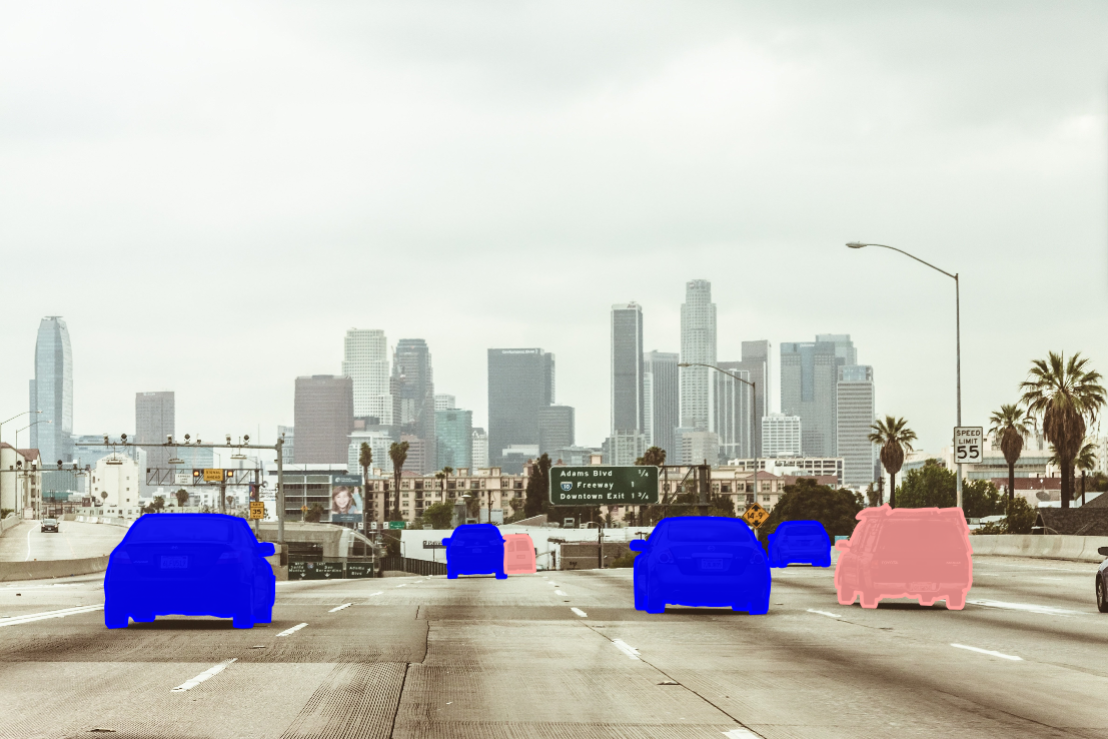
This is a practice demonstration under review. It covers selected vehicles, with class and roof-rack details still to confirm. It is not a completed client project or a claim of measured accuracy.
Explore five vehicles tracked through an aerial road scene, with coloured bounding boxes and consistent vehicle identifiers. This revised visual demonstration presents Full HD source footage with IA Data Solutions branding and a clear playback timeline.
About this sample: A portfolio demonstration based on aerial footage and a Label Studio annotation reference, with revised box placement and timing. Vehicle 01–05 are track identifiers within the Vehicle label. Project-specific classes, export formats and quality criteria are agreed during a pilot. This sample is not a completed client project or a measured accuracy result. No audio is included.
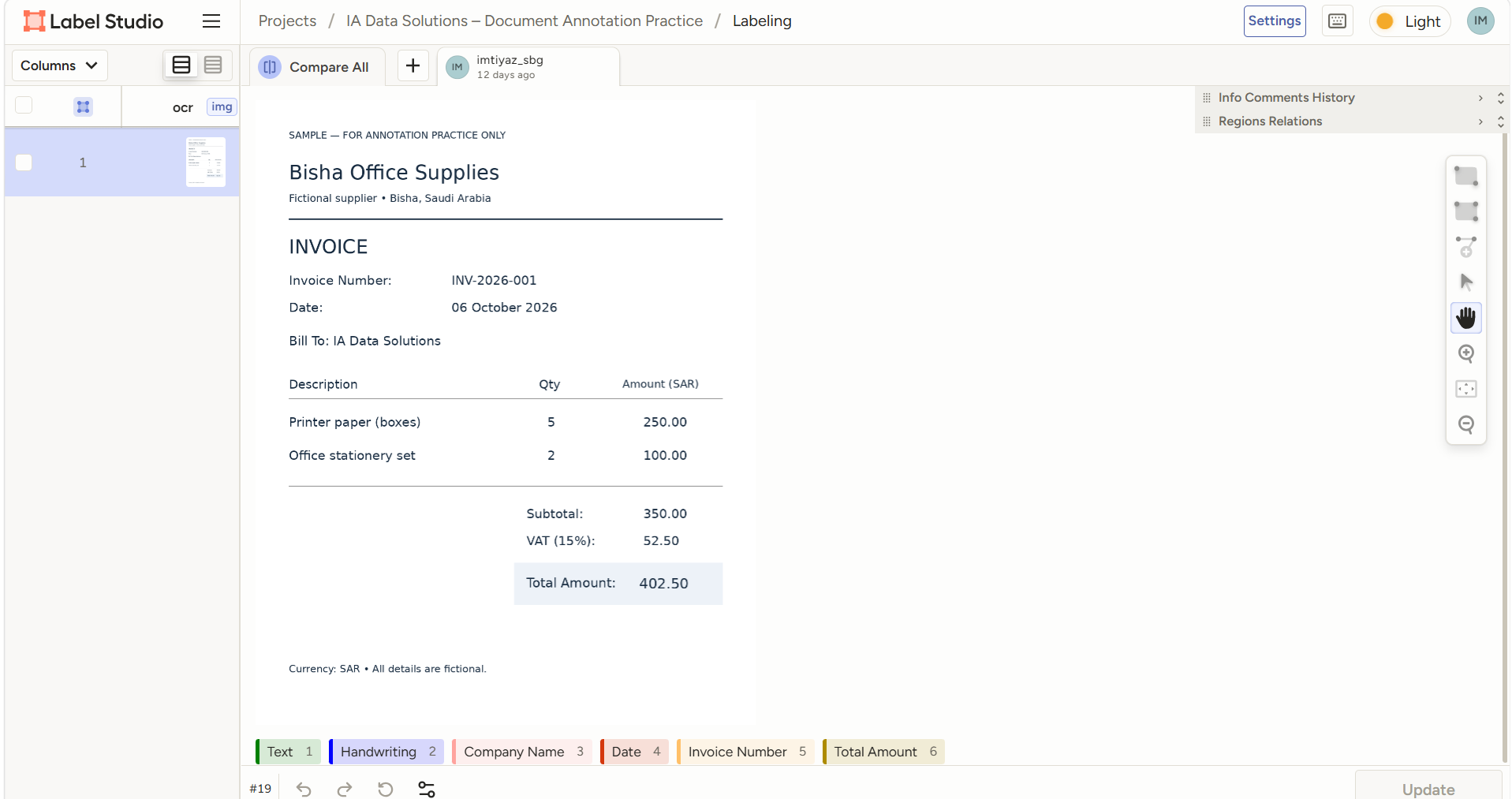
A fictional invoice sample demonstrating field-level document annotation in Label Studio. Compare the document with its labelled regions and matching text values.
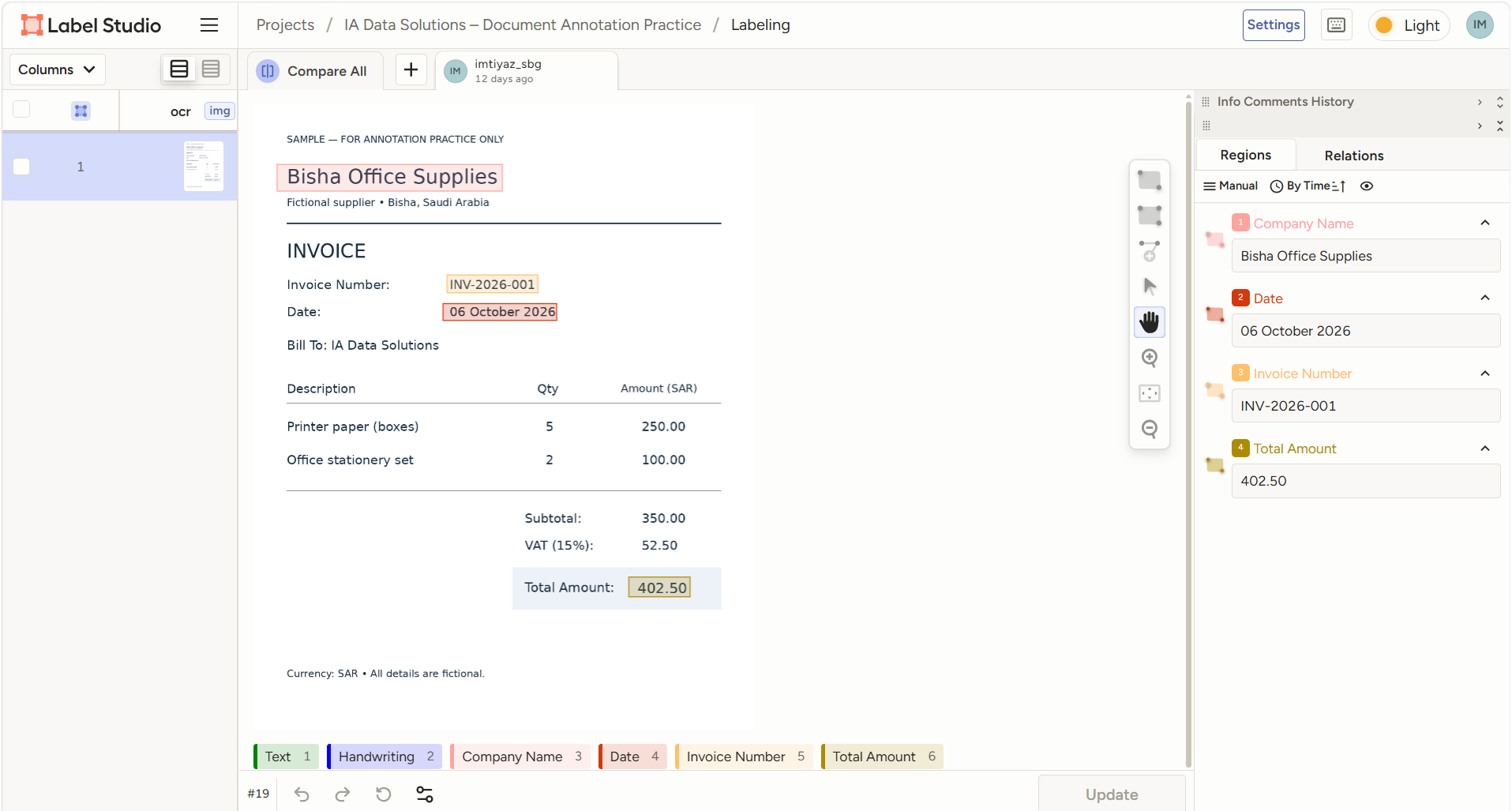
| Label | Transcribed value |
|---|---|
| Company Name | Bisha Office Supplies |
| Invoice Number | INV-2026-001 |
| Date | 06 October 2026 |
| Total Amount | 402.50 SAR |
Fictional practice document. This portfolio shows screenshots of document annotation, not an automated PDF extraction system or a measured OCR accuracy result. Click either image to inspect the full-size screenshot.
A Label Studio practice example showing a speech waveform divided into four labelled regions. The displayed regions all use the label “Speaker one,” with pauses visible between selected speech intervals.
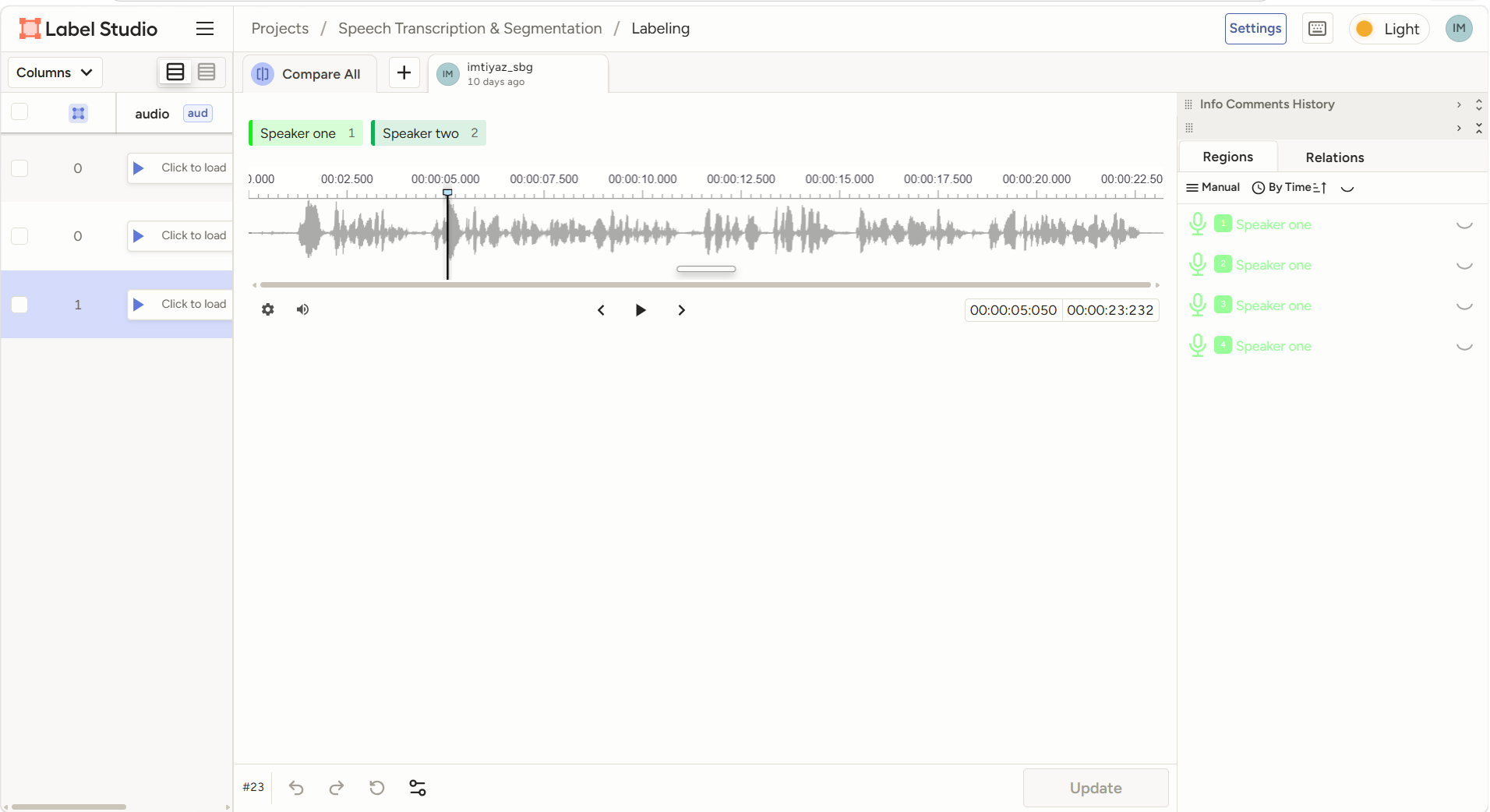
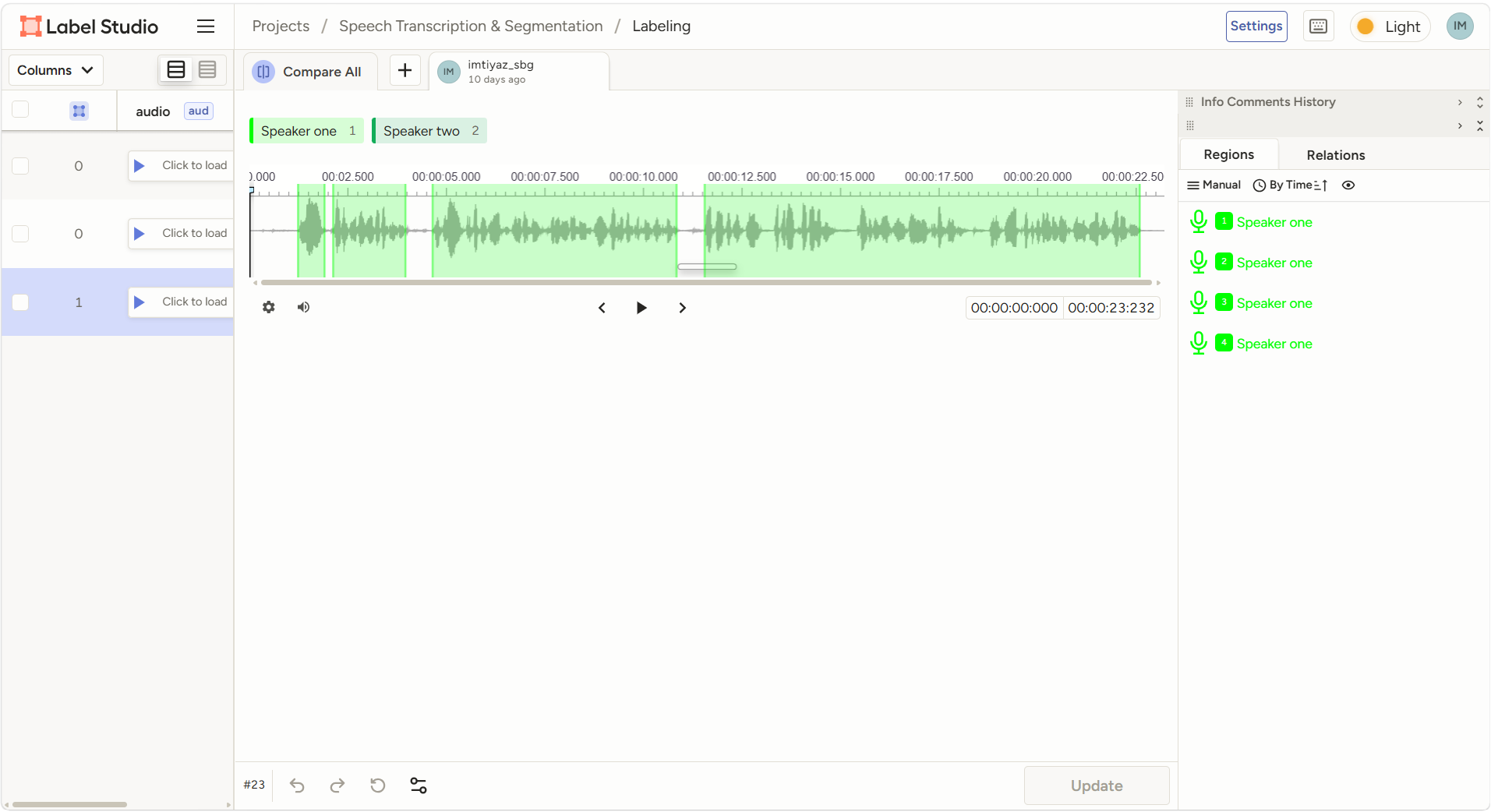
Screenshot demonstration of speech segmentation. The original audio and a transcript are not included. The available “Speaker two” label is not used in the four displayed regions; this sample does not demonstrate separation of two actual speakers.
Explore two separate practice examples: vehicle landmarks and human pose keypoints. Each uses a defined label set and manually placed points in Label Studio.
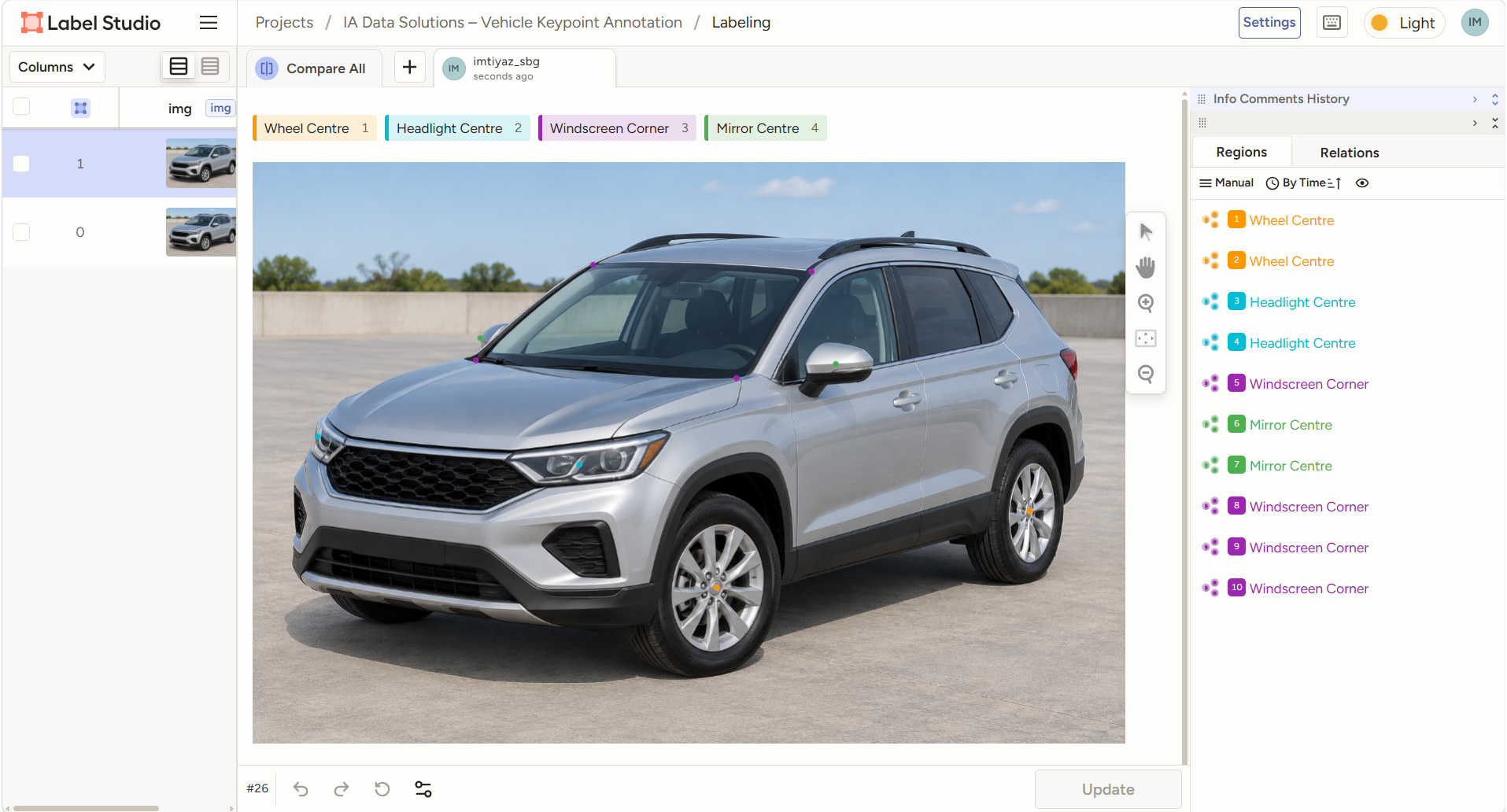
Wheel and headlight centres, windscreen corners and visible mirror centres.
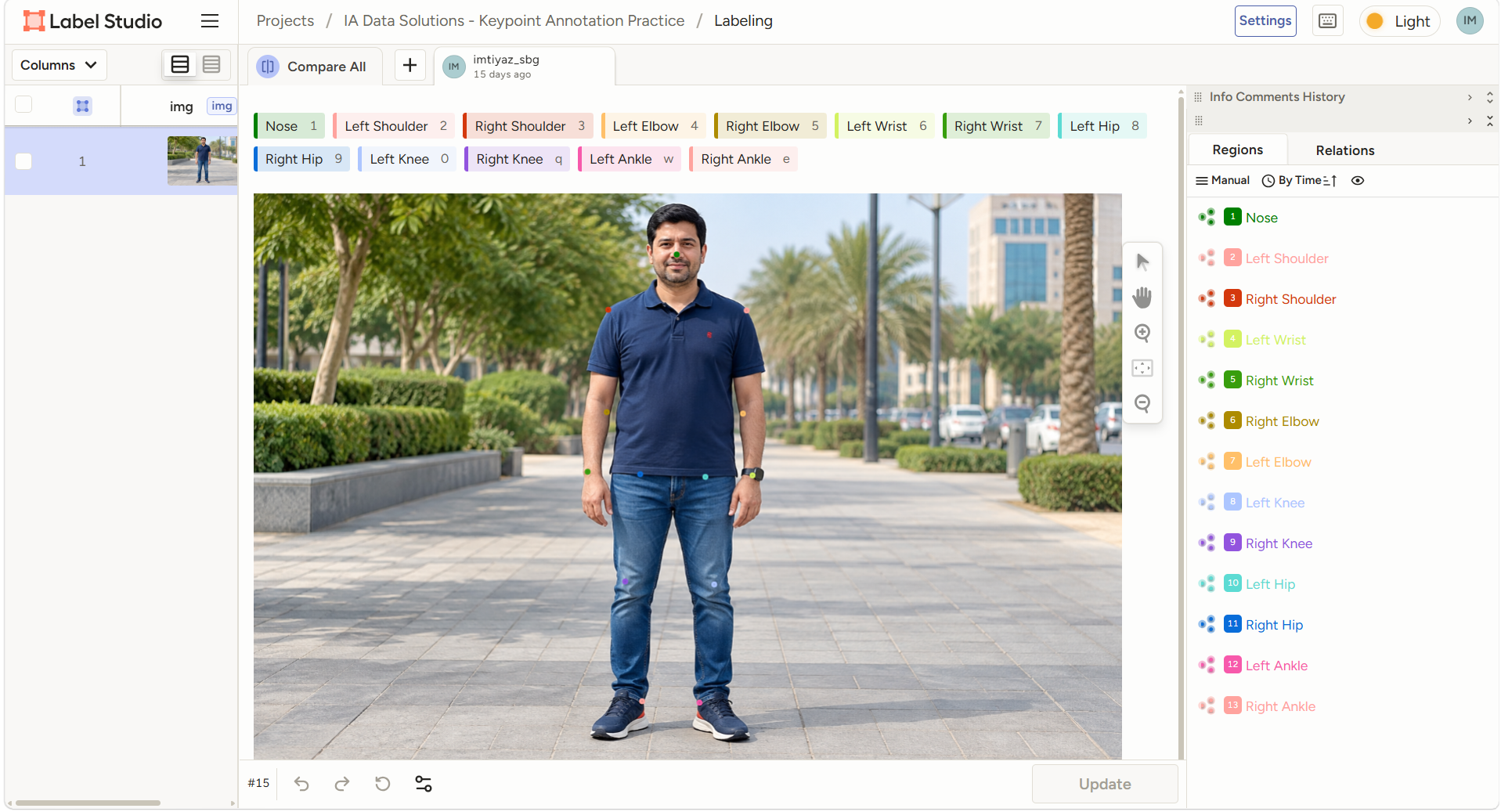
Nose and paired shoulders, elbows, wrists, hips, knees and ankles, using the subject's left and right.
Practice demonstrations, not completed client projects or measured accuracy results. Vehicle source image is AI-generated. Human joint positions are visually estimated through clothing.
Two street-scene practice examples labelled in Label Studio. The first shows three selected vehicles; the second shows a foreground white sedan and smaller background vehicles. The boxes demonstrate individual object localisation, overlapping rectangles and handling of a vehicle truncated by the image edge.
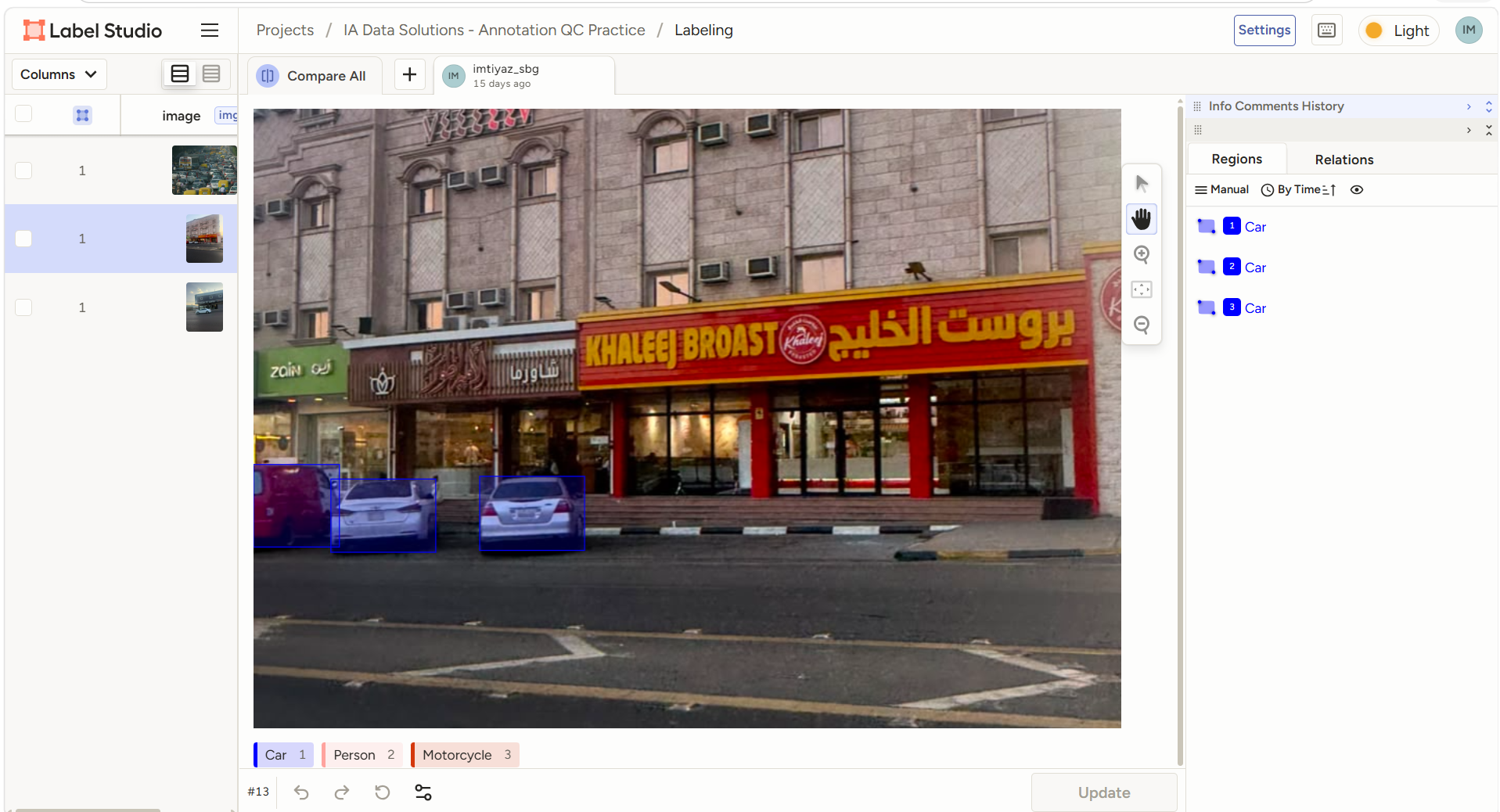
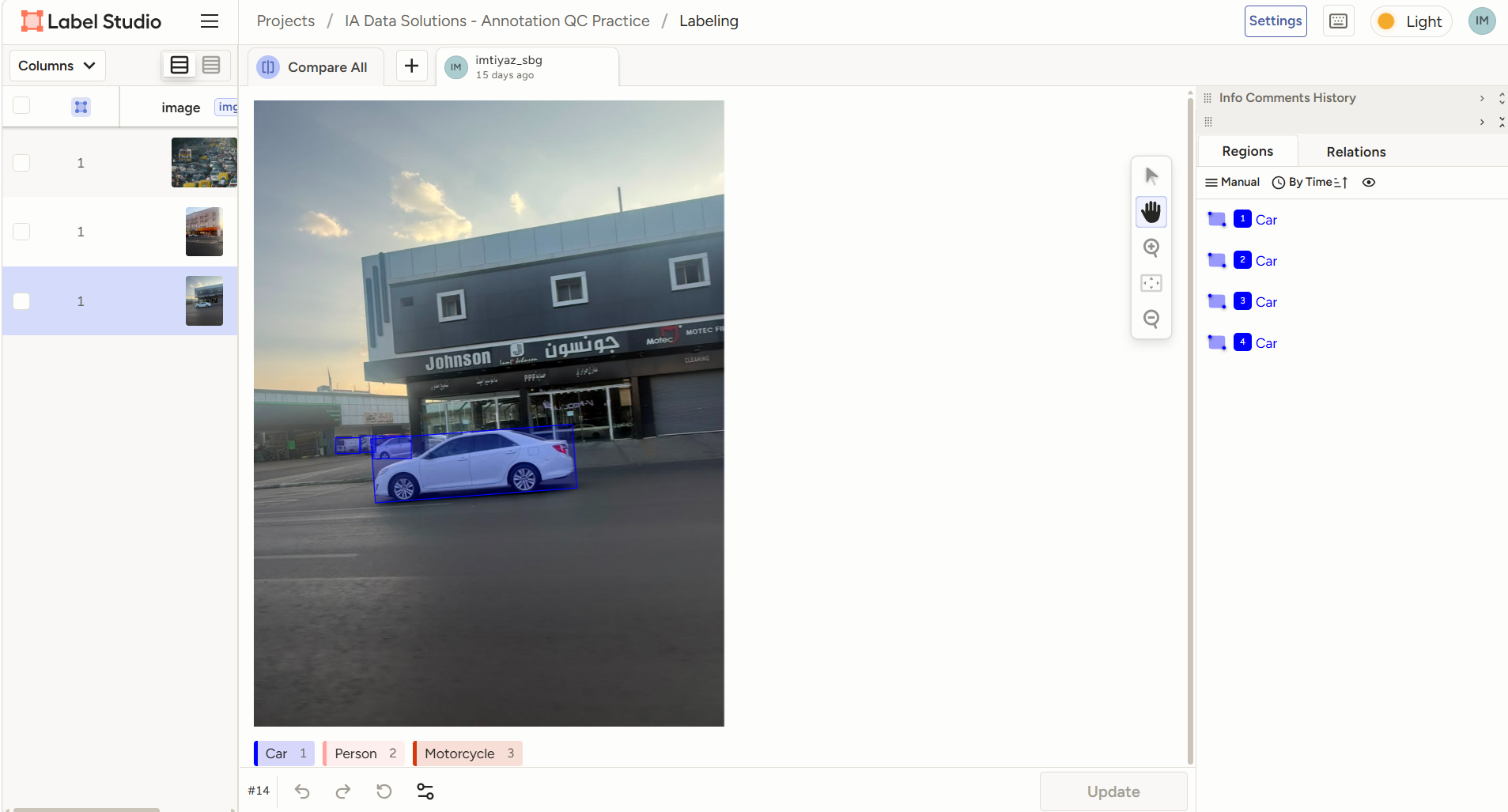
Practice example showing vehicles at different scales with partial occlusion. Four Car regions are listed in the supplied screenshot; individual region validity remains to be confirmed during export review.
Selected-object practice sample, not exhaustive annotation of every object in the scene. The motorcycle is outside this sample's labelled scope. The displayed vehicle regions use the existing Car label; production class definitions would be agreed before a pilot. No measured accuracy or completed client engagement is claimed.
Each project starts with written requirements and a manageable initial scope.
Review sample data, label definitions, volume, tools, export format, timeline and access restrictions.
Agree paid pilot terms and resolve unclear examples before expanding production.
Apply the agreed checks, log issues and correct deviations within the agreed revision scope.
Check the export format and completeness, deliver through an agreed channel and collect acceptance feedback.
The following is our proposed project framework. Specific controls, review coverage and responsibilities must be agreed before access is granted.
Relevant verification documents can be provided privately to verified prospective clients through an agreed channel.
IA Data Solutions (SMC-Private) Limited
Incorporated in Pakistan
SECP Corporate Registration No. 0361082
Certificate of Incorporation and company FBR registration are available on request. Additional due diligence requirements can be reviewed before engagement.
Team capacity is assessed for each enquiry. No permanent team size or specialist certification is claimed.
A reliable quotation needs a sample or clear specification, volume, tool, quality requirements and deadline. Rates and turnaround are confirmed in writing after review.
Share the platform and access requirements. We will review compatibility and onboarding needs before confirming the engagement.
Send your proposed terms and vendor checklist for review. Acceptance is subject to reviewing the requirements; no agreement is implied by this page.
We can assess the required skills and availability after pilot review. Additional contributors require agreed access and confidentiality arrangements and client approval.
Include the data type, approximate volume, guidelines, output format, quality expectations and deadline. We will review the requirements before proposing a paid pilot.
Request a Pilot Quotation ↗Opens a prepared email in your email application. Review it and press Send to contact us.